Cartoon Photo Editor-Toon Art
- 4.0
- Rating
- 5.00M
- Installs
- Free
- Price

 Analysis by App-foxy
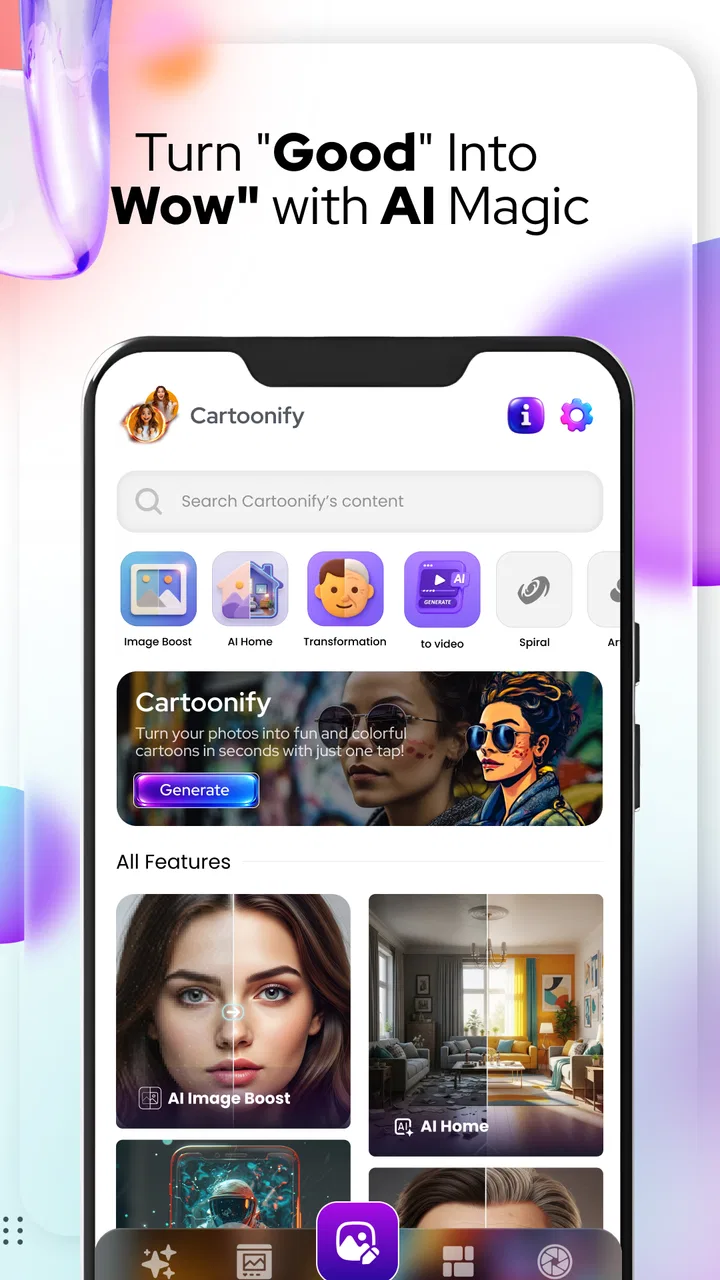
I approached Cartoon Photo Editor-Toon Art as a quick creative tool rather than a full photo-editing studio. Its purpose is easy to understand: take an ordinary picture and push it toward a cartoon or illustrated portrait. After using it, I found that its appeal comes from speed and simplicity. You can turn a casual selfie, profile photo, or social post into something more stylized without first learning a complicated editing workflow.
The app sits in the Art & Design category and is developed by Bilge Bulut Mobile. It is free to install, with optional in-app purchases ranging from $4.99 to $29.99 per item. That makes the first decision fairly straightforward: it is worth trying if you want to experiment with cartoon effects, but you should treat the free experience as a way to judge the visual results before paying for anything.
My overall impression is positive, with an important qualification. This is best for people who want a fast transformation and are happy to accept an artistic interpretation of their photo. It is less suitable for someone who needs precise retouching, detailed layer control, professional illustration tools, or predictable results on every image. The real strength is convenience, not complete creative control.
You May Also Like

 Blood Strike: 2.5 Anniversary
Blood Strike’s Loadouts Turn Every Drop Into a Tactical Gamble
A close look at Blood Strike’s custom loadouts: how fast access to signature weapons reshapes its battle royale rhythm, rewards preparation, and narrows the gap between fights.

 Pandora - Music & Podcasts
Pandora’s Music Is Easy to Start, but Harder to Recover
Pandora’s strength is its low-effort path from a seed to a station. Its weak spot is how much confidence it asks you to place in connection, setup, and quiet recovery.

 8 Ball Pool
 Is Built on Rivalries, Rematches, and Routine
A close look at the rivalries, rematches, shared routines, and unanswered safety questions that turn a quick pool match into a persistent mobile community.

 Samsung Music
’s Quiet Strength Is Playing What You Already Own
Its reach comes less from spectacle than from dependable access to a personal library. That simplicity is both the app’s strongest retention engine and its ceiling.

 AccuWeather: Weather Radar
AccuWeather Review: A Quick, Clear Forecast for Everyday Decisions
For everyday plans, the best forecast is the one you can understand quickly. AccuWeather makes rain timing, radar, and local conditions easy to act on, with a few trade-offs.

 Hill Climb Racing
Why Hill Climb Racing Still Turns Crashes Into One More Run
A tiny car, a bumpy hill and one more upgrade: Hill Climb Racing keeps resurfacing because its simple chaos makes every near-miss feel personal.
More From Our News Desk



How I would decide whether it fits your photo workflow
I’d decide by matching the app to a repeatable need, not by asking whether one cartoon portrait looks fun. If I can name a few occasions when I’d use that treatment—and I’m comfortable checking each result against the original—it may earn a place in my workflow; next, I’d consider whether that usefulness lasts beyond the first experiment.
Start with the kind of image you want to create
The most useful question is not whether cartoon effects are attractive in general. It is whether you regularly have photos that would benefit from a bold, simplified treatment. A clear portrait with a visible face is the natural starting point. A profile picture, birthday image, social avatar, or playful picture for a chat group can gain more personality from this kind of treatment than from ordinary brightness and contrast adjustments.
I would be more cautious with group photos, distant subjects, dark indoor pictures, or images with several faces competing for attention. Stylized processing has less visual information to work with in those situations. When the original photo is already unclear, the cartoon result may emphasize the wrong details instead of rescuing the image.
This is also a useful distinction between a cartoon-effect app and a conventional editor. In a traditional editor, I might correct exposure, crop carefully, soften a small blemish, and adjust color with a specific result in mind. Here, I am making a broader creative choice: I want the picture to look illustrated rather than merely improved. That makes the app more enjoyable for experimentation, but less appropriate when accuracy matters.
Think about speed versus control
For me, the decision comes down to how much time I want to spend. If I am preparing a quick image for a messaging profile, I prefer a direct effect over a long sequence of sliders. The app is designed around that kind of moment. I can begin with a photo, test a stylized direction, and decide whether the result feels more expressive than the original.
The trade-off is that a fast effect does not necessarily understand my intention. A portrait may look charming with stronger outlines, while another may look too artificial. The same broad style can flatter one face and make another appear oddly simplified. I therefore judge the result as an interpretation, not as a faithful digital painting of the person in the photo.
That mindset prevents disappointment. If you expect a one-tap result to preserve every strand of hair, fabric texture, and subtle facial expression, this will not replace a more advanced editor. If you want a recognizable portrait with a noticeably different mood, the quick approach makes much more sense.
Check the practical entry requirements
The app runs on Android devices using version 6.0 or later, so it is available to a broad range of phones. Its age rating is Everyone, which makes it approachable for families and younger users who want to play with personal photos. I would still encourage anyone sharing images online to think about where those images will be posted, especially when editing pictures of other people.
The current version is 3.6, and the app has already attracted over five million installs. Its average rating is 4.0 from around 8.8 thousand ratings, with 152 written reviews. I see those figures as evidence of a sizeable audience and generally favorable reception, not as a guarantee that every portrait will work well. Visual apps are particularly dependent on the quality of the source image and on personal taste.
Use a small test set before making it part of your routine
One practical tip is to prepare three very different photos before deciding whether this belongs on your phone. Choose a well-lit close portrait, a more casual outdoor image, and a picture with a busier background. This test reveals more than trying a single perfect selfie. It shows how forgiving the app feels when the lighting and composition are less controlled.
I also recommend keeping the original image untouched. Save or duplicate the source before experimenting, especially if the photo has sentimental value. A cartoon version is a new interpretation, not a replacement. Keeping both files lets you compare the effect honestly and gives you a clean starting point if you later choose another editing style.
Where the app wins for everyday creativity
The clearest advantage is the low barrier to entry. I do not need to understand masks, layers, brush settings, or color curves before I can explore an illustrated look. That matters when the goal is to have fun rather than complete a technical editing project. The app turns a familiar portrait into a visual experiment, which is exactly the kind of small creative break many people want from a phone.
It is especially useful for personal identity images. A standard camera photo can feel formal or forgettable, while a cartoon treatment gives it a stronger point of view. I can imagine using a result for a temporary profile picture, a private contact image, a themed conversation, or a small digital invitation. The effect does not have to be permanent to be useful.
Another strength is its suitability for non-specialists. Someone who rarely edits photos can understand the basic idea immediately. There is no pressure to become an artist before getting a visible result. That makes it a better recommendation for a friend who wants something playful than a professional editor filled with controls they may never use.
A realistic everyday scenario
Imagine that I am preparing a birthday message for a close friend. I have one good portrait from a recent outing, but sending the original feels ordinary. I open the app, try a cartoon treatment, and compare the result with the source. If the face remains recognizable and the expression still feels natural, I can use the edited version as a personal touch in the message.
The important part of that workflow is comparison. I would not automatically send the first result. I would check the eyes, hairline, mouth, and background for distracting changes. If the effect makes the person look unlike themselves, I would return to the original or choose a less dramatic treatment. The app helps create an option; it does not remove the need for judgment.
This is where it feels more useful than a generic filter collection. The goal is not simply to add color. The goal is to change the visual language of the portrait. That can make a small personal message feel considered without requiring an hour of manual editing.
Tips that make the results more dependable
First, begin with a face that is reasonably visible and evenly lit. Harsh shadows can become stronger when an image is simplified, and a face partly hidden by a hat, hand, or heavy filter gives the effect less information to interpret. A clean source does not guarantee a perfect result, but it gives the app a fairer chance.
Second, crop with the final use in mind. A portrait intended for a small circular profile image needs a clear face near the center. A wider composition can work better for a post or a greeting. Editing without considering the destination can leave the most interesting details too small to notice.
Third, judge the image at the size where people will actually see it. A result that looks impressive when zoomed in may become muddy as a small avatar. Conversely, tiny irregularities may not matter at all in a message thumbnail. This is a simple but often overlooked way to avoid rejecting a useful image for flaws nobody else will notice.
Fourth, use the app for a series of related images only after testing one. If I want a consistent set of portraits for a group project or event, I would process a sample from each lighting condition first. A style that works on an outdoor image may not translate equally well to a dim indoor photo. Consistency is harder than creating one attractive result.
Where a conventional editor is the better choice
There are clear situations in which I would choose a different category of app. If I need exact cropping, controlled skin retouching, text placement, background removal, or a carefully balanced color grade, I would use a standard photo editor. Those tools are slower to learn, but they let me decide what changes and what stays untouched.
I would also choose a drawing or painting app if my goal were to create an original illustration from scratch. A cartoon filter interprets an existing photo; it does not give me the same freedom as drawing facial features, redesigning clothing, or inventing a new background manually. The distinction matters for artists and for anyone making work that needs a personal visual style.
For people who want highly realistic artificial portraits, this app may also be the wrong fit. Its appeal is visible stylization. If realism, subtle correction, or photographic authenticity is the priority, an enhancement-focused tool will usually be more appropriate. Here, the creative effect is supposed to be noticeable.
When another cartoon-effect option may fit better
Even within the same broad category, people want different things. Some prefer a large library of themed looks, some want detailed manual adjustments, and others care most about editing several images in a single consistent process. I would not assume that a quick cartoon editor can satisfy all three preferences equally well.
Cartoon Photo Editor-Toon Art makes the most sense when the desired outcome is immediate and personal. If I were producing a polished set of promotional portraits, I would look for a workflow built around repeatable controls and fine adjustments. If I were simply trying to make one friend’s photo more playful, the lighter approach would be easier and less distracting.
The comparison should therefore be based on the job, not on the number of effects. A larger alternative is not automatically better if I only need one appealing portrait. Likewise, a simple app is not automatically the best choice when I need to make many images match. The right tool is the one that gives enough control for the intended result without turning a small task into a project.
Understanding the free starting point and paid decisions
The app is free, which makes testing it straightforward. The optional purchases are listed at $4.99 to $29.99 per item, so I would avoid paying until I know that its particular visual approach works for my photos. A free download is valuable here because the question is subjective: one person may love the illustrated finish, while another may find it too strong.
My advice is to separate curiosity from commitment. Install it, test several source images, and decide whether the results solve a real need. If I only want occasional amusement, the free entry may be enough. If I use the app repeatedly and find that its paid options improve the kind of portraits I actually make, then the purchase becomes easier to justify.
I would also consider the cost of switching between tools. Starting with this app is quick, but moving a project to another editor later may mean recreating the crop, reapplying a different look, or comparing several versions manually. For a single image, that cost is tiny. For a collection, it becomes more noticeable. That is why I would choose the app early in the workflow when the main question is “Should this photo become a cartoon?” rather than after extensive editing elsewhere.
Who should install it first
I recommend giving it a try if you enjoy changing profile pictures, making playful messages, or exploring creative versions of familiar portraits. It is also a good fit for casual users who find professional photo editors intimidating. The Everyone rating and broad Android compatibility make it an accessible option for experimenting on a personal device.
It is particularly appealing when the desired result is expressive rather than technically perfect. A slightly exaggerated feature or simplified background can be part of the charm. If you are making a humorous image for a friend, the personality of the effect may matter more than photographic precision.
Who should skip it
I would skip it if I need reliable professional output, exact control over every adjustment, or a full illustration workspace. I would also look elsewhere if I dislike noticeable stylization or if most of my editing involves landscapes, products, documents, and layouts rather than faces. The app’s central idea is strongest when a portrait is the subject and a cartoon interpretation is the goal.
Users who are uncomfortable evaluating changes to facial identity should take extra care. Before sharing an edited portrait of someone else, I would show it to them or use the original instead. A playful transformation can be welcome, but it can also make a person feel misrepresented if the effect changes their appearance too much.
My final recommendation after weighing the trade-offs
Cartoon Photo Editor-Toon Art is a sensible free experiment for anyone who wants an uncomplicated route from a normal portrait to a cartoon-style image. I like it most as a quick creative detour: open a photo, test an artistic direction, compare it with the original, and keep the version that genuinely adds character.
I would not present it as a replacement for a full photo editor or a drawing application. Its value lies in making a specific transformation approachable. The app wins when speed, accessibility, and a visible change matter more than precision. It loses when the project demands controlled retouching, consistent batch results, or original artwork built from the ground up.
With that expectation in place, I think it is worth installing and testing before considering any optional purchase. The best use is selective rather than automatic: choose a suitable portrait, protect the original, inspect the face at its intended display size, and compare the result with alternatives when the image matters. If you want a playful portrait makeover without a steep learning curve, this is an easy app to try; if you want complete artistic control, start with a more advanced tool instead.
FAQs for Cartoon Photo Editor-Toon Art
01What features does Cartoon Photo Editor-Toon Art offer?
Cartoon Photo Editor-Toon Art provides a comprehensive set of features that allow users to transform their photos into cartoon-like images. It includes a variety of filters, effects, and editing tools designed to create vibrant and unique cartoon illustrations. Additionally, it offers customization options for adjusting contrast, brightness, and saturation.
02Is Cartoon Photo Editor-Toon Art free to use?
Cartoon Photo Editor-Toon Art is available as a free download, but it may offer in-app purchases or a premium subscription. The free version includes basic features and filters, while the premium version unlocks additional tools and effects. Users should check the app store for specific pricing details.
03How user-friendly is Cartoon Photo Editor-Toon Art?
The app is designed with an intuitive interface, making it accessible to users of all skill levels. With easy navigation and straightforward editing tools, even beginners can quickly learn how to apply effects and customize their photos. Tutorials or guides may also be available within the app to assist new users.
04Does Cartoon Photo Editor-Toon Art require an internet connection?
While some features of Cartoon Photo Editor-Toon Art might require an internet connection, such as downloading new filters or accessing cloud-based content, the core editing tools can typically be used offline. Users should be aware of any specific online functionalities they plan to use.
05Can I share my creations directly from Cartoon Photo Editor-Toon Art?
Yes, Cartoon Photo Editor-Toon Art allows users to share their edited images directly to social media platforms or save them to their device. The app usually supports sharing options for popular platforms like Instagram, Facebook, and WhatsApp, making it easy to showcase your creative work online.
Pros
- Easy-to-use interface for beginners.
- Wide variety of cartoon styles available.
- Fast processing with minimal lag.
- Offline functionality for editing anytime.
- Supports high-resolution image exports.
Cons
- Limited free features in the basic version.
- Occasional ads can be intrusive.
- Lacks advanced editing tools.
- Some filters require in-app purchases.
- Limited options for video editing.

Cartoon Photo Editor-Toon Art
Gallery